Prop Firm Expenses and ROI
Prop Firm Payout Rules: What to Check Before Requesting a Payout
Check prop firm payout rules, eligibility conditions, profit share, fees, and account changes before you submit a funded account payout request.
You open your dashboard after a good XAUUSD week. It shows profit, so you feel that the money should be ready to withdraw.
That feeling is understandable. But the number on the screen is only the first step.
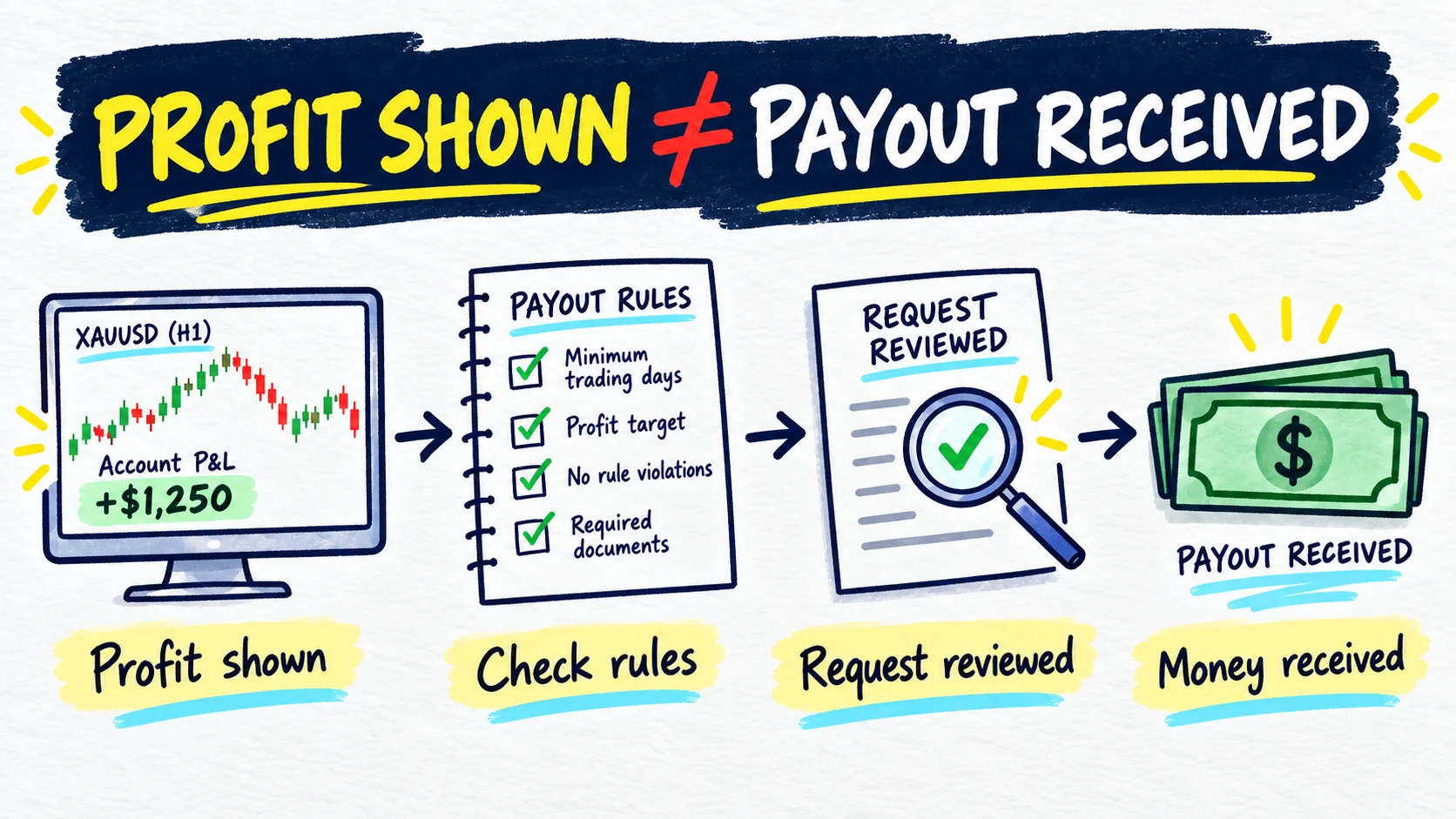
Quick answer: profit shown is not the same as payout eligibility. Eligibility is not the same as submitting a request. A submitted request is not the same as approval. Approval is not the same as money received.
Before you request anything, check the current rules for your exact funded account, selected payout path, and account stage.
Is profit in your dashboard ready to withdraw?
Maybe, but the profit number alone cannot answer that question.
A payout request may also depend on:
- the trading cycle being complete;
- a required number of profitable or active days;
- a consistency rule;
- a minimum growth or payout amount;
- all positions and pending orders being closed;
- the account remaining within its rules;
- identity checks being complete; and
- an available payment method for your account and country.
The firm makes the official decision. This guide helps you prepare a clean check before you press the request button.
Start with the exact account and payout path
Do not begin with a percentage you saw in a video or another trader’s screenshot. Begin with your own account.
Write down:
- firm and exact program;
- funded stage;
- selected payout path;
- account size;
- purchase or reset date;
- current official rule links; and
- the date you checked them.
Two traders with the same account size may still have different conditions because they selected different programs or payout paths. Your purchase or reset date can matter when a firm changes an offer.
Use the wider prop firm rules guide if you have not yet built a one-page rule sheet for the account.
The six stages from profit to money received
Keep these six stages separate:
- Profit shown: the account dashboard displays a positive result.
- Conditions met: you believe the current payout conditions are satisfied.
- Request available: the official dashboard allows a request to begin.
- Request submitted: the firm has received your request.
- Request approved: the firm has completed its review and accepted the request.
- Money received: the payment has arrived through the selected method.
If your dashboard shows $4,000 profit, you can say that profit is shown. You cannot yet say the payout is approved or received.
Which payout conditions should you check?
Check each condition in the current official rules. Do not use the examples below as settings for your own account.
| Condition | What you need to confirm | Where to verify it |
|---|---|---|
| Trading cycle | Start date, end date, and whether a reset changed the cycle | Current dashboard and program rules |
| Required days | Active days, profitable days, minimum result per day, and whether days must be separate | Exact payout-path rules |
| Consistency | Best day or best trade, formula, percentage, calculation window, and consequence | Current consistency rule and dashboard |
| Minimum amount | Minimum growth, minimum request, and whether fees affect it | Payout terms |
| Open trades | Whether positions and pending orders must be closed | Request instructions |
| Account status | Loss limits, restrictions, inactivity, and other compliance checks | Account agreement and dashboard |
| Identity and method | Required identity checks and available payment methods | Your account’s request flow |
If consistency applies, the consistency calculator guide can help you calculate a best-day or best-trade ratio. Its result does not confirm official payout eligibility.
Current official pages also show why one general answer is unsafe:
| Dated example | What the checked official page shows |
|---|---|
| FTMO Account · rules checked 2 October 2026 | The reward FAQ described a request on the 14th or a later day after the first trade, with open positions and pending orders closed, followed by account review. |
| FundedNext Stellar 2-Step · rules checked 2 October 2026 | The page listed different reward paths, including 21-day, three-profitable-day, and on-demand paths, with conditions tied to the option selected at checkout. |
| Topstep Express and Live Funded Accounts · rules checked 2 October 2026 | The policy separated Standard and Consistency paths and described different day, consistency, cap, reset, and account-stage conditions. |
These are dated examples of variation, not recommendations. Check the current FTMO reward FAQ, current FundedNext withdrawal guide, current FundedNext Stellar 2-Step page, or current Topstep payout policy only when it applies to your exact account.
How do profit share and fees change the received amount?
Keep four numbers separate:
- Gross account profit: profit shown before the trader share is applied.
- Trader share: the part assigned to you under the current agreement.
- Fees: any transfer or gateway charge shown for your request.
- Amount received: the money that actually arrives.
Here is a fictional calculation:
$4,000 × 80% = $3,200
$3,200 − $25 = $3,175 received
The numbers are fictional. Your exact split and fees may differ. Record the amount shown by your current request flow, then update the record when the money arrives.
What can a payout change inside the account?
A withdrawal may change more than the cash record. Depending on the exact program, it may affect:
- account balance;
- the buffer above the daily drawdown limit;
- the buffer above the overall drawdown limit;
- a consistency calculation window;
- counted profitable days;
- the next request date;
- a payout cap; or
- account status.
Do not assume the account returns to the same position after a request. Read what the official rule says happens after submission, approval, and payment.
A fictional $100,000 payout walkthrough
Imagine a fictional $100,000 funded-stage account. The trader used XAUUSD setups during the London and New York sessions. The dashboard now shows $4,000 gross profit.
The trader does not press Request immediately. They first:
- confirm the exact program, funded stage, and payout path;
- check that the trading cycle and required days are complete;
- calculate the stated consistency measure using the correct window;
- check that no position or pending order remains open if closure is required;
- confirm the account is still within its loss and trading rules;
- review the current trader share and any displayed fee;
- submit the request through the official dashboard; and
- keep the request pending until the firm gives its decision.
If the fictional agreement gives the trader an 80% share and the transfer fee shown is $25, the expected calculation is $3,175. The trader records that as an estimate until the payment arrives. They do not count it as received income yet.
Eligible, not yet eligible, or under review
Use plain status labels in your notes.
Eligible to request
The official dashboard allows the request and your check of the current conditions is complete. This still does not mean the request is approved.
Not yet eligible, but the account is active
A condition is not met, but the current rule says the account remains active. A consistency percentage, for example, may delay the request rather than automatically breach the account. Follow the exact consequence. Do not turn the missing amount into a target for the next trade.
Under review or not approved
The request has been submitted and the firm is checking it, or the firm did not approve it. Record the official status and reason. Do not guess the outcome or payment date.
Your before-request checklist
Before you submit, confirm that you have:
- named the exact program and funded stage;
- recorded the selected payout path;
- checked the purchase or reset date;
- dated the current rule check;
- completed the required cycle and days;
- used the right consistency formula and window;
- checked positions, pending orders, and account compliance;
- reviewed identity and payment-method requirements;
- calculated the trader share and displayed fees in USD; and
- saved the official request status.
What to record after the request
Create a short record with:
- request date;
- requested amount;
- gross profit used;
- profit-share percentage;
- fees shown;
- request reference or screenshot;
- current status;
- official reason if the status changes;
- approved amount, if different; and
- received amount and date after it arrives.
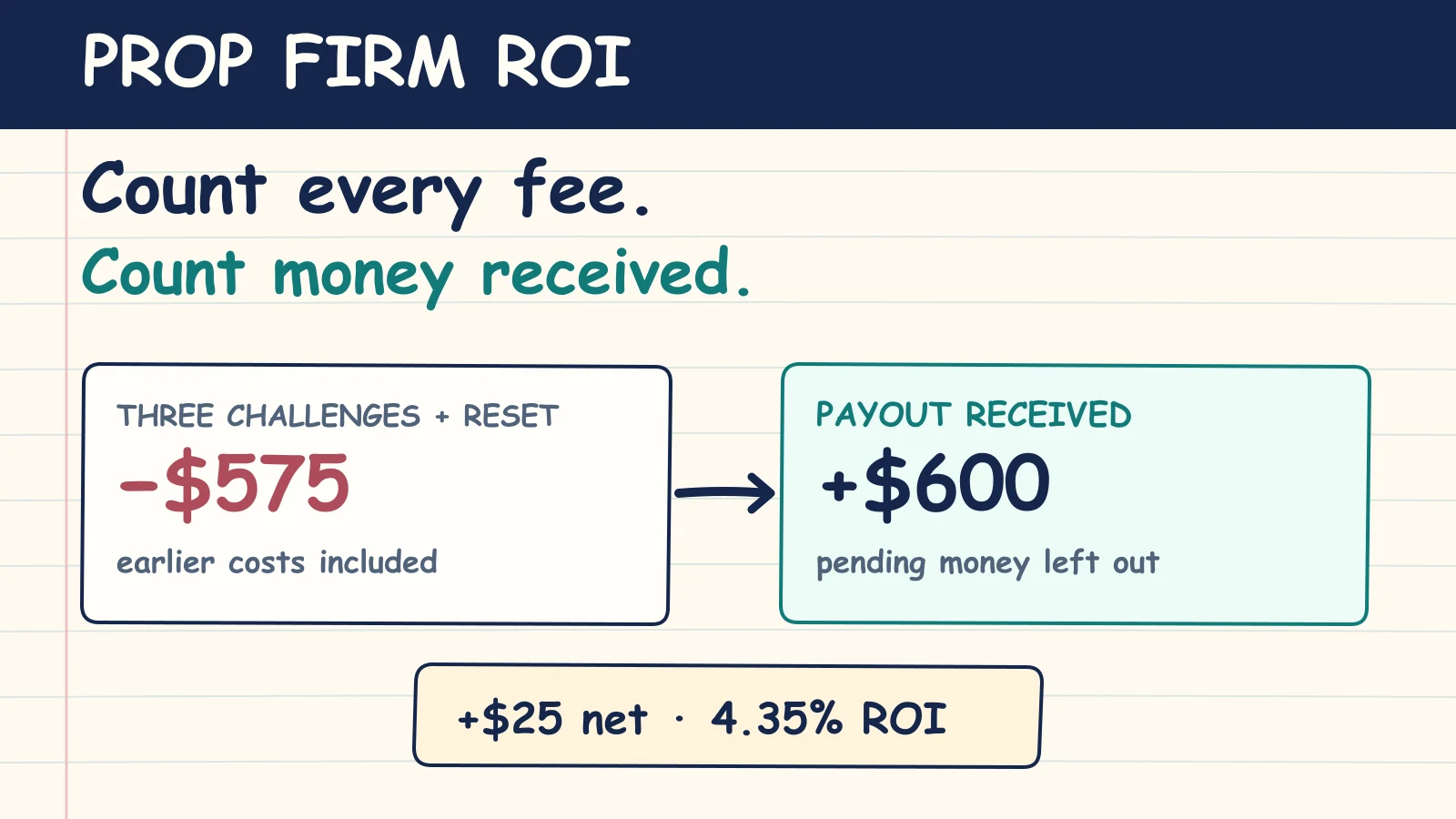
The prop firm expense tracking guide shows how to keep the request and received payment as separate events. Calculate prop firm ROI only with payouts that were actually received.
How PropLogAI fits into payout tracking
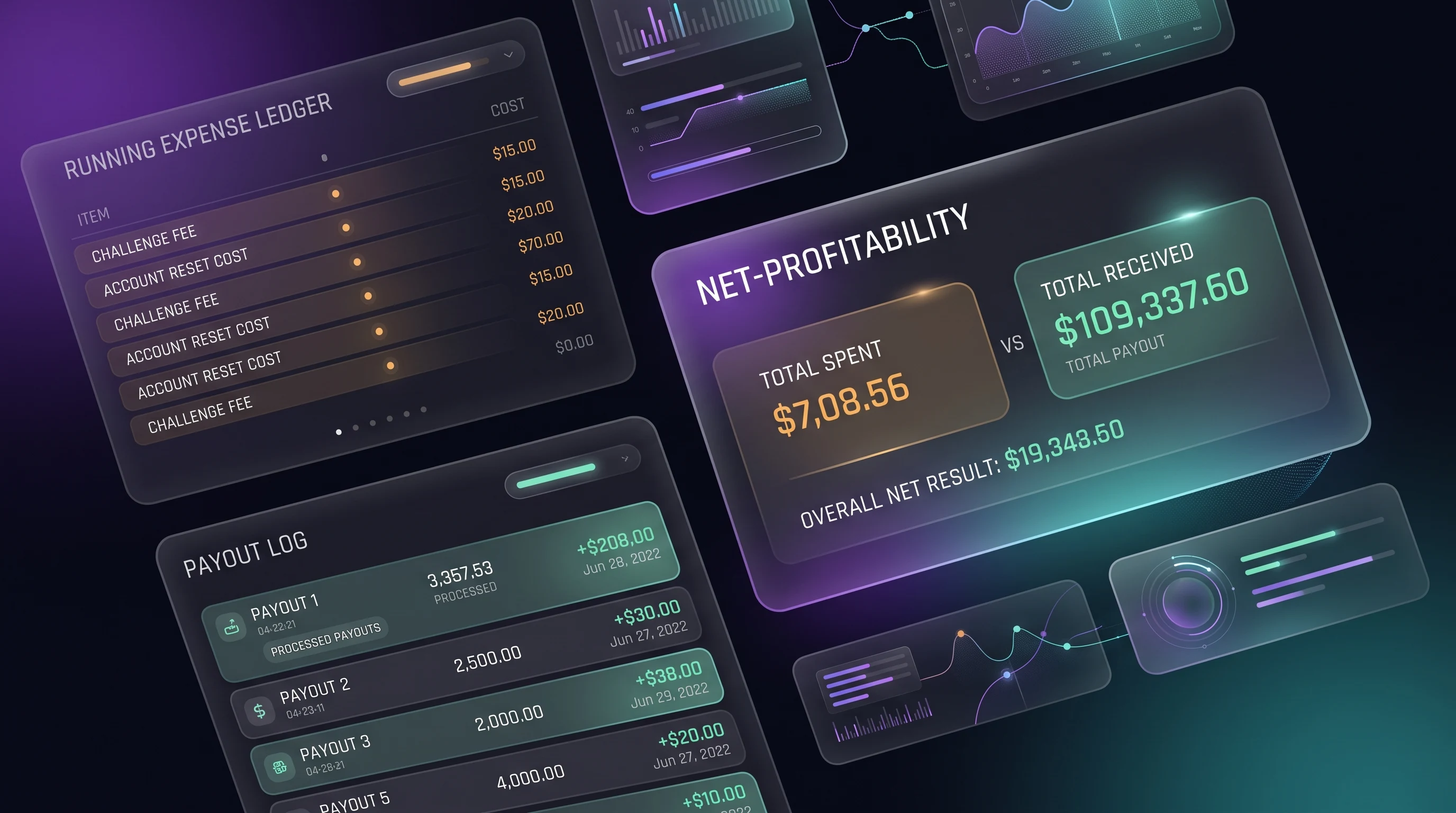
PropLogAI can record payout information that you enter yourself, including the firm, amount, date, and notes. Together with your expense entries, those records can display ROI information.
PropLogAI does not import current firm rules, verify your dashboard, complete KYC, approve a request, track a payment through the firm, or decide whether you are eligible. Keep status changes, fees, evidence, and received dates in your own notes, and use the official dashboard and current agreement as the source of truth.
For personal tax questions, speak with a qualified professional who understands your circumstances and local requirements.
Frequently asked questions
Does dashboard profit mean I can request a payout?
No. Dashboard profit is one input. Your request may also depend on the cycle, required days, consistency, account status, closed positions, identity checks, and the selected payout path.
Is going over a consistency percentage a breach?
There is no universal answer. Some programs keep the account active and delay the payout condition until the ratio is met. Another program may use a different consequence. Read the rule for your exact program and stage.
Should I keep trading until the consistency percentage falls?
Only follow what the current rules permit and what fits your own trading plan. Do not force trades to repair a percentage. The calculator shows a ratio; it does not tell you to trade.
When should I count a payout in ROI?
Count it as received only after the money arrives. Keep a submitted or approved request in a separate pending record until then.
Can a payout change my drawdown buffer?
It can under some account rules. Check the balance, equity, trailing or static loss floor, and post-payout conditions for your exact account before submitting.
How often should I recheck payout rules?
Check them before every request, after a purchase or reset, when you choose a new payout path, and whenever the firm announces a change. Keep the check date visible.
Start your trading journal
Track trades, understand your psychology, and get personalized AI coaching. No signals, no financial advice — just better self-review from your own data.
Get Started Free